

Showing posts with label Freebies. Show all posts
Showing posts with label Freebies. Show all posts
18 August 2014

15 August 2014

16 July 2014
PINK Instagram Theme

Installation:
Before you start, please make sure you have Application names in iFile switched on. To do this open iFile, press the Settings icon in the lower left - press File Manager - switch "Application Names" to on.
It's pretty straight forward as long as you have the basic knowledge of how to use iFile.
Simply download from the link below - Unarchive - Open the blue folder that has now appeared named PINK IGTheme - select ALL images within the folder - cut them to the following location:
User > Applications > Instagram > Library > Application Support > Instagram > assets
These will replace the stock Instagram images. Just close your Instagram app from the switcher (or respring) and the theme should take affect.
If you want the old look back at any time, simply uninstall and reinstall Instagram.
03 July 2014
Playful Instagram Theme

Before you start, please make sure you have Application names in iFile switched on. To do this open iFile, press the Settings icon in the lower left - press File Manager - switch "Application Names" to on.
It's pretty straight forward as long as you have the basic knowledge of how to use iFile.
Simply download from the link below - Unarchive - Open the blue folder that has now appeared named Playful IGTheme - select ALL images within the folder - cut them to the following location:
User > Applications > Instagram > Library > Application Support > Instagram > assets
These will replace the stock Instagram images. Just close your Instagram app from the switcher (or respring) and the theme should take affect.
If you want the old look back at any time, simply uninstall and reinstall Instagram.

12 June 2014

Hush Theme Extra's


If you want to use this slider instead of the one included in the theme bundle, replace this with the one in: Hush > Folders

09 June 2014

05 June 2014

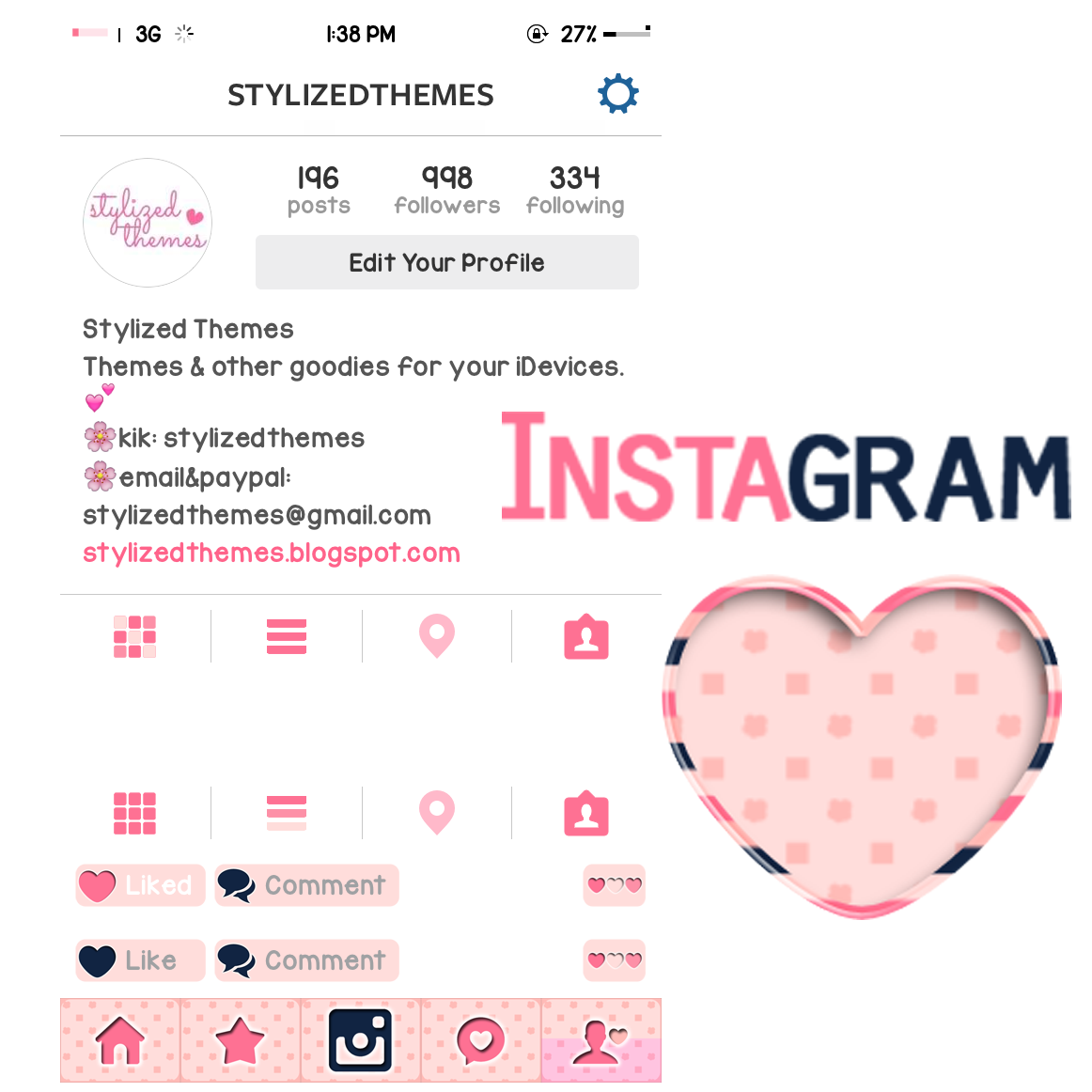
Glam Instagram Theme
Installation:
Before you start, please make sure you have Application names in iFile switched on. To do this open iFile, press the Settings icon in the lower left - press File Manager - switch "Application Names" to on.
It's pretty straight forward as long as you have the basic knowledge of how to use iFile.
Simply download from the link below - Unarchive - Open the blue folder that has now appeared named Glam Instagram Theme - select ALL images within the folder - cut them to the following location:
User > Applications > Instagram > Library > Application Support > Instagram > assets
These will replace the stock Instagram images. Just close your Instagram app from the switcher (or respring) and the theme should take affect.
If you want the old look back at any time, simply uninstall and reinstall Instagram.

31 May 2014

29 May 2014


27 May 2014
Fancy Instagram Theme

Installation:
Before you start, please make sure you have Application names in iFile switched on. To do this open iFile, press the Settings icon in the lower left - press File Manager - switch "Application Names" to on.
It's pretty straight forward as long as you have the basic knowledge of how to use iFile.
Simply download from the link below - Unarchive - Open the blue folder that has now appeared named Fancy Instagram Theme - select ALL images within the folder - cut them to the following location:
User > Applications > Instagram > Library > Application Support > Instagram > assets
These will replace the stock Instagram images. Just close your Instagram app from the switcher (or respring) and the theme should take affect.
If you want the old look back at any time, simply uninstall and reinstall Instagram.
09 May 2014
Pink Leopard Instagram Theme

Installation:
Before you start, please make sure you have Application names in iFile switched on. To do this open iFile, press the Settings icon in the lower left - press File Manager - switch "Application Names" to on.
It's pretty straight forward as long as you have the basic knowledge of how to use iFile.
Simply download from the link below - Unarchive - Open the blue folder that has now appeared named Pink Leopard Instagram Theme - select ALL images within the folder - cut them to the following location:
User > Applications > Instagram > Library > Application Support > Instagram > assets
These will replace the stock Instagram images. Just close your Instagram app from the switcher (or respring) and the theme should take affect.
If you want the old look back at any time, simply uninstall and reinstall Instagram.
08 May 2014
Sugar Instagram Theme
Currently using the Sugar theme, so I tried making an Instagram theme to match it. Supposedly for personal use but decided to share it just in case you might like it as well. :) xoxo

Installation:
Before you start, please make sure you have Application names in iFile switched on. To do this open iFile, press the Settings icon in the lower left - press File Manager - switch "Application Names" to on.
It's pretty straight forward as long as you have the basic knowledge of how to use iFile.
Simply download from the link below - Unarchive - Open the blue folder that has now appeared named Sugar Instagram Theme - select ALL images within the folder - cut them to the following location:
User > Applications > Instagram > Library > Application Support > Instagram > assets
These will replace the stock Instagram images. Just close your Instagram app from the switcher (or respring) and the theme should take affect.
If you want the old look back at any time, simply uninstall and reinstall Instagram.
07 May 2014
Mellow Instagram Theme
Yet another first attempt in theming, here's an Instagram theme to match the Mellow theme! Hope you like it!

Installation:
Before you start, please make sure you have Application names in iFile switched on. To do this open iFile, press the Settings icon in the lower left - press File Manager - switch "Application Names" to on.
It's pretty straight forward as long as you have the basic knowledge of how to use iFile.
Simply download from the link below - Unarchive - Open the blue folder that has now appeared named Mellow IG - select ALL images within the folder - cut them to the following location:
User > Applications > Instagram > Library > Application Support > Instagram > assets
These will replace the stock Instagram images. Just close your Instagram app from the switcher (or respring) and the theme should take affect.
If you want the old look back at any time, simply uninstall and reinstall Instagram.
Mellow Notification Badge
Here's a notification badge to match the Mellow theme. You should have the tweak "ClassicBadges" installed from Cydia for this to show up. :)

Orange Notification Badge:

Pink Notification Badge:
05 May 2014

09 April 2014
Purple Hues biteSMS theme (freebie)
biteSMS theme to match the Purple Hues theme. This one's very simple. Hope you'll still like it. :)

Transfer the folder to var > mobile > Library > biteThemes and apply in the biteSMS settings. :)
08 April 2014
Purple Hues (theme freebie)


this Purple Hues theme includes:
more than 60 icons
2 wallpapers
color keyboard theme
Transfer the "Purple Hues CK" to Library > Color Keyboard > Themes
Transfer the main folder "Purple Hues" to var > stash > Themes
The wallpapers are found in the main folder.
Hope you like it! Don't forget to tag me with your screenies!
(Instagram: stylizedthemes)
I would love to see how you stylize your phones! :) Good day!
06 April 2014
Rainbow Candies Add-ons (freebie)
Some add-ons for the Rainbow Candies theme!
 |
| signal and wifi bars |
 |
| dialer and boot/respring logo |
To use: transfer folder to var > stash > Themes (same way as applying themes)
Subscribe to:
Posts (Atom)