

Showing posts with label Instagram Theme. Show all posts
Showing posts with label Instagram Theme. Show all posts
18 August 2014

16 July 2014
PINK Instagram Theme

Installation:
Before you start, please make sure you have Application names in iFile switched on. To do this open iFile, press the Settings icon in the lower left - press File Manager - switch "Application Names" to on.
It's pretty straight forward as long as you have the basic knowledge of how to use iFile.
Simply download from the link below - Unarchive - Open the blue folder that has now appeared named PINK IGTheme - select ALL images within the folder - cut them to the following location:
User > Applications > Instagram > Library > Application Support > Instagram > assets
These will replace the stock Instagram images. Just close your Instagram app from the switcher (or respring) and the theme should take affect.
If you want the old look back at any time, simply uninstall and reinstall Instagram.
03 July 2014
Playful Instagram Theme

Before you start, please make sure you have Application names in iFile switched on. To do this open iFile, press the Settings icon in the lower left - press File Manager - switch "Application Names" to on.
It's pretty straight forward as long as you have the basic knowledge of how to use iFile.
Simply download from the link below - Unarchive - Open the blue folder that has now appeared named Playful IGTheme - select ALL images within the folder - cut them to the following location:
User > Applications > Instagram > Library > Application Support > Instagram > assets
These will replace the stock Instagram images. Just close your Instagram app from the switcher (or respring) and the theme should take affect.
If you want the old look back at any time, simply uninstall and reinstall Instagram.

12 June 2014
Hush Theme Extra's


If you want to use this slider instead of the one included in the theme bundle, replace this with the one in: Hush > Folders

05 June 2014
Glam Instagram Theme
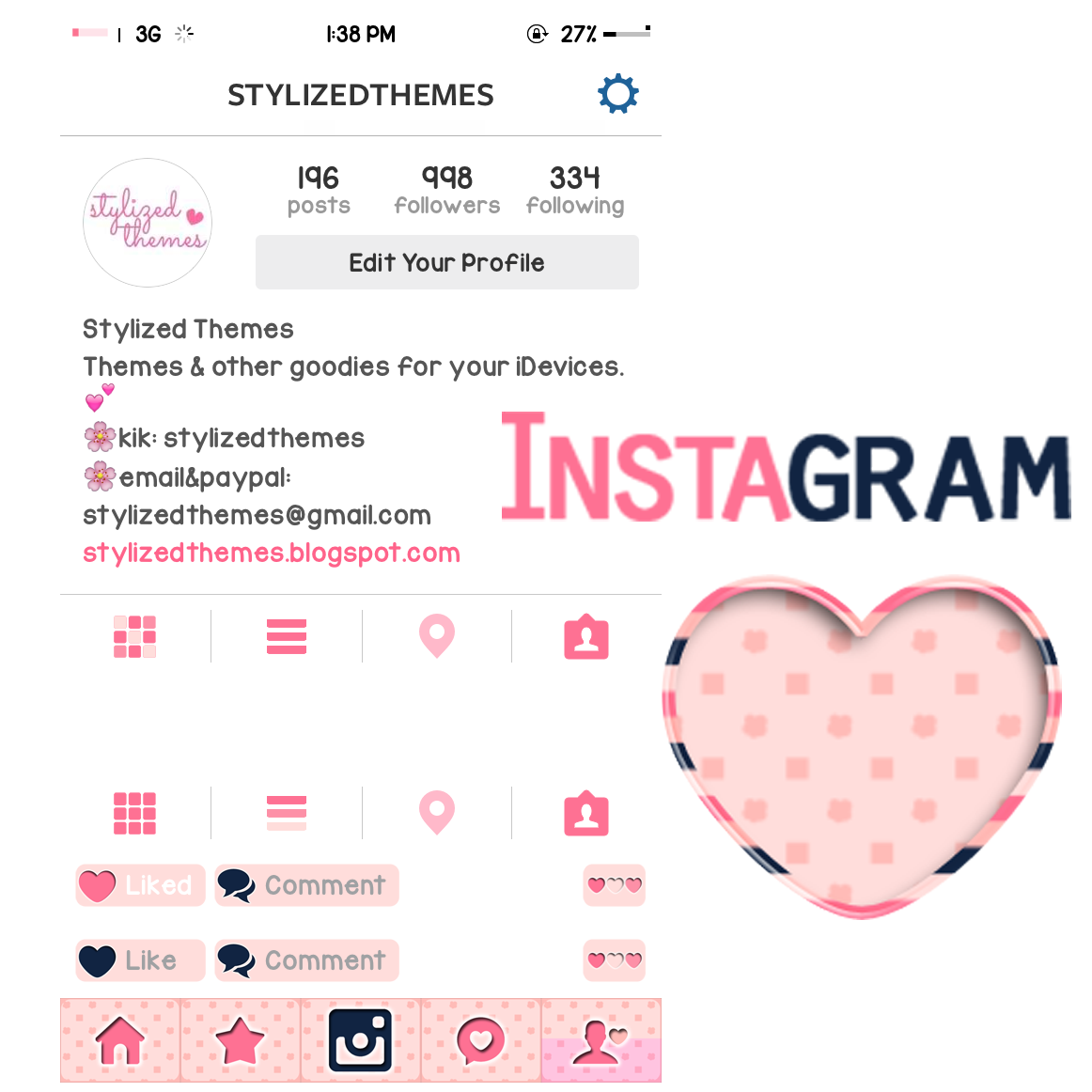
Installation:
Before you start, please make sure you have Application names in iFile switched on. To do this open iFile, press the Settings icon in the lower left - press File Manager - switch "Application Names" to on.
It's pretty straight forward as long as you have the basic knowledge of how to use iFile.
Simply download from the link below - Unarchive - Open the blue folder that has now appeared named Glam Instagram Theme - select ALL images within the folder - cut them to the following location:
User > Applications > Instagram > Library > Application Support > Instagram > assets
These will replace the stock Instagram images. Just close your Instagram app from the switcher (or respring) and the theme should take affect.
If you want the old look back at any time, simply uninstall and reinstall Instagram.

31 May 2014

29 May 2014


27 May 2014
Fancy Instagram Theme

Installation:
Before you start, please make sure you have Application names in iFile switched on. To do this open iFile, press the Settings icon in the lower left - press File Manager - switch "Application Names" to on.
It's pretty straight forward as long as you have the basic knowledge of how to use iFile.
Simply download from the link below - Unarchive - Open the blue folder that has now appeared named Fancy Instagram Theme - select ALL images within the folder - cut them to the following location:
User > Applications > Instagram > Library > Application Support > Instagram > assets
These will replace the stock Instagram images. Just close your Instagram app from the switcher (or respring) and the theme should take affect.
If you want the old look back at any time, simply uninstall and reinstall Instagram.
09 May 2014
Pink Leopard Instagram Theme

Installation:
Before you start, please make sure you have Application names in iFile switched on. To do this open iFile, press the Settings icon in the lower left - press File Manager - switch "Application Names" to on.
It's pretty straight forward as long as you have the basic knowledge of how to use iFile.
Simply download from the link below - Unarchive - Open the blue folder that has now appeared named Pink Leopard Instagram Theme - select ALL images within the folder - cut them to the following location:
User > Applications > Instagram > Library > Application Support > Instagram > assets
These will replace the stock Instagram images. Just close your Instagram app from the switcher (or respring) and the theme should take affect.
If you want the old look back at any time, simply uninstall and reinstall Instagram.
08 May 2014
Sugar Instagram Theme
Currently using the Sugar theme, so I tried making an Instagram theme to match it. Supposedly for personal use but decided to share it just in case you might like it as well. :) xoxo

Installation:
Before you start, please make sure you have Application names in iFile switched on. To do this open iFile, press the Settings icon in the lower left - press File Manager - switch "Application Names" to on.
It's pretty straight forward as long as you have the basic knowledge of how to use iFile.
Simply download from the link below - Unarchive - Open the blue folder that has now appeared named Sugar Instagram Theme - select ALL images within the folder - cut them to the following location:
User > Applications > Instagram > Library > Application Support > Instagram > assets
These will replace the stock Instagram images. Just close your Instagram app from the switcher (or respring) and the theme should take affect.
If you want the old look back at any time, simply uninstall and reinstall Instagram.
07 May 2014
Mellow Instagram Theme
Yet another first attempt in theming, here's an Instagram theme to match the Mellow theme! Hope you like it!

Installation:
Before you start, please make sure you have Application names in iFile switched on. To do this open iFile, press the Settings icon in the lower left - press File Manager - switch "Application Names" to on.
It's pretty straight forward as long as you have the basic knowledge of how to use iFile.
Simply download from the link below - Unarchive - Open the blue folder that has now appeared named Mellow IG - select ALL images within the folder - cut them to the following location:
User > Applications > Instagram > Library > Application Support > Instagram > assets
These will replace the stock Instagram images. Just close your Instagram app from the switcher (or respring) and the theme should take affect.
If you want the old look back at any time, simply uninstall and reinstall Instagram.
Subscribe to:
Posts (Atom)